• Waitlist

Keep demand alive when the tee sheet is full

CourseRev Waitlist creates a digital queue for golfers who want a tee time that is not currently available. When inventory opens, the system can identify eligible golfers, notify them automatically, and track whether the opportunity turns into a confirmed booking.

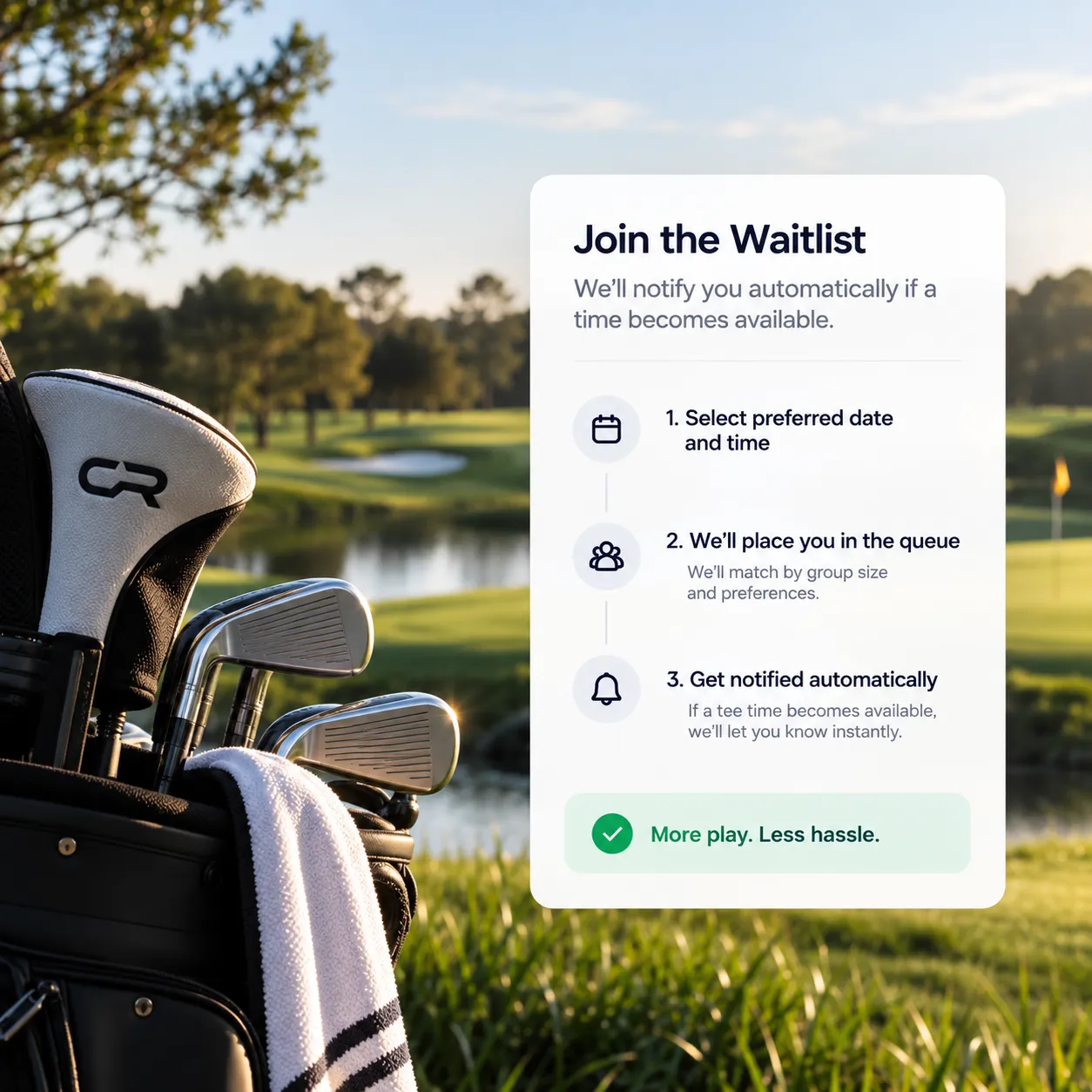
From unavailable to bookable without starting over

Requested time is unavailable
The golfer cannot book the slot they originally wanted.
Golfer joins the queue
CourseRev places the golfer in the waitlist for that specific date and time.
Eligible golfers are notified
Matching considers queue position and whether open spots fit the requested group size.

Questions about Waitlist management

Team Member
What is AI Voice Concierge?
AI Voice Concierge is an AI-powered voice assistant that answers calls and books tee times for your golf course. It significantly reduces pro shop workload by:
- Booking tee times
- Answering common questions
- Applying player-type rules (members, seniors, public)
- Optimizing your tee sheet

It operates 24/7, handles hundreds of calls simultaneously, and never misses a call.

The system offers exceptional flexibility in presenting your pricing and includes tee sheet optimization not commonly found in other booking systems.
How does AI Voice Concierge increase bookings?
- Never misses calls, even after hours.
- Suggests alternative tee times when preferred slots are unavailable.
- Automatically fills cancellations using a built-in waitlist.
- Remembers golfers’ names and preferences after their first booking.

Result: More rounds booked and fewer empty tee times.
Does AI replace my staff?
No — it empowers your staff.

The AI handles repetitive tasks (calls, bookings, FAQs), allowing your team to focus on in-person service and player experience.
What questions can the Course Agent answer?
Beyond bookings, it instantly provides:
- Directions to the course (with SMS navigation links).
- Driving range details
- Package pricing
- Hours of operation
- Course policies

This saves staff time and reduces interruptions.
How can I manage multiple golf courses in a single system?
For operators managing multiple courses, Courserev enables centralized booking across all locations.
‍
With the Multi-Courses feature:
- One phone number handles bookings for all courses
- Golfers choose a course or let the system find the best availability
- Works with shared or different tee sheet systems
1. How does a golfer join the waitlist?
When a requested slot is unavailable, golfers can be invited to join the waitlist through Voice, Chat, or the Web Portal. They are then placed in the queue for the requested date and time.
2. How are golfers told that a tee time has opened?
Automatic email and SMS notifications. When a relevant opening arises, eligible golfers can receive an alert and a deadline to secure the reservation.
3. What can staff see in Active Waitlist?
Live upcoming queues, tee-time details, the golfers waiting for each slot, and entry status such as Waiting or Notified.
4. What is stored in Waitlist History?
Waitlist History archives previous lists and tracks conversions, so operators can see which golfers secured a reservation — and spot the times that generate consistent demand.
5. Does staff have to manually call everyone on the list?
No. The waitlist automates notifications the moment relevant inventory opens up — no manual callback list for your pro shop.

Explore more

Course Agent
Automate your golf time bookings
Web Booking
Direct online tee time reservations
Reminders
Smart booking
confirmations